


![IIM Calcutta [IIMC]](https://studyriserr.com/images/logo/17048036751488950580d2.png)


![Ramaiah Institute of Technology [RIT], Bangalore](https://studyriserr.com/images/logo/1716618835logo.jpg)
![SRM Institute of Science and Technology [SRM IST], Vadapalani](https://studyriserr.com/images/logo/1702879472SRM Institute of Science & Technology Vadapalani campus logo.jpeg)





![Birla School of Management [BSM], Kolkata](https://studyriserr.com/images/logo/17129440681415702941BSM-Logo1.jpg)




UGC NET December 2025 Provisional Answer Key challenge facility is to end today at 11:50 PM. National Testing Agency (NTA) released the key, question paper with recorded responses on January 15. Check the dates and details below.
The December session UGC NET 2025 exams were held from December 31, 2025 to January 7, 2026. The 3-day objection window to challenge answers at the official website, ugcnet.nta.nic.in by paying a non-refundable fee of 200 per question and providing valid academic evidence is to close on January 17, 2026. The deadline to pay the challenge fee is also today.
Download: UGC NET Dec 2025 Provisional Answer Key Official Notice (PDF) |
All submitted challenges undergo a verification process conducted by a panel of subject matter experts. If a challenge is upheld, the answer key will be updated appropriately and each candidate's results will reflect the modifications. There will be no further contact regarding the acceptance or rejection of specific claims. For any technical assistance or queries reach out to the NTA Help Desk at 011-40759000 or [email protected].
UGC NET December 2025: Important Dates
The latest events and dates for UGC NET 2025 December session is given below:
| Event | Date |
| Notification Release | October 7, 2025 |
| Online Application Period | October 7 – November 7, 2025 |
| Correction Window | November 10 – 12, 2025 |
| Exam City Intimation | December 21, 2025 |
| Admit Card Release | December 27, 2025 |
| UGC NET Exam Dates | December 31, 2025 – January 7, 2026 |
| Provisional Answer Key Release | January 15, 2026 |
| Objection Window | January 14 - 17, 2026 (up to 11:50 PM) |
| Last Day for Challenge Fee Payment | January 17, 2026 |
| Final Answer Key & Result | Late January - Early February 2026 (expected) |
UGC NET 2025: How to View & Challenge Provisional Answer Key for December Session?
To reviewing your responses and submitting challenges for the UGC-NET December 2025 Examination here’s the process:
- Step 1: Visit the official NTA website ugcnet.nta.nic.in and click on the “Display of provisional answer key(s) and question paper ...”
- Step 2: Enter your application number and password to access your dashboard.
- Step 3: Click "View Question Paper" to see your marked responses OR click "View/Challenge Answer Key" to see the provisional keys and start the challenge process.
- Step 4: Locate the Question ID of the question you wish to contest.
- Step 5: To challenge, click the checkbox next to the Option ID(s) you believe are correct.
- Step 6: After selecting your desired options, scroll down and click "Save Your Claims" to move to the summary screen.
- Step 7: Click "Choose File" to upload supporting documents.
- Step 8: You can click "Modify Your Claims" if you need to make changes. Once satisfied, click "Save your claims and Pay Fee."
- Step 9: Select your payment provider and pay the processing fee.
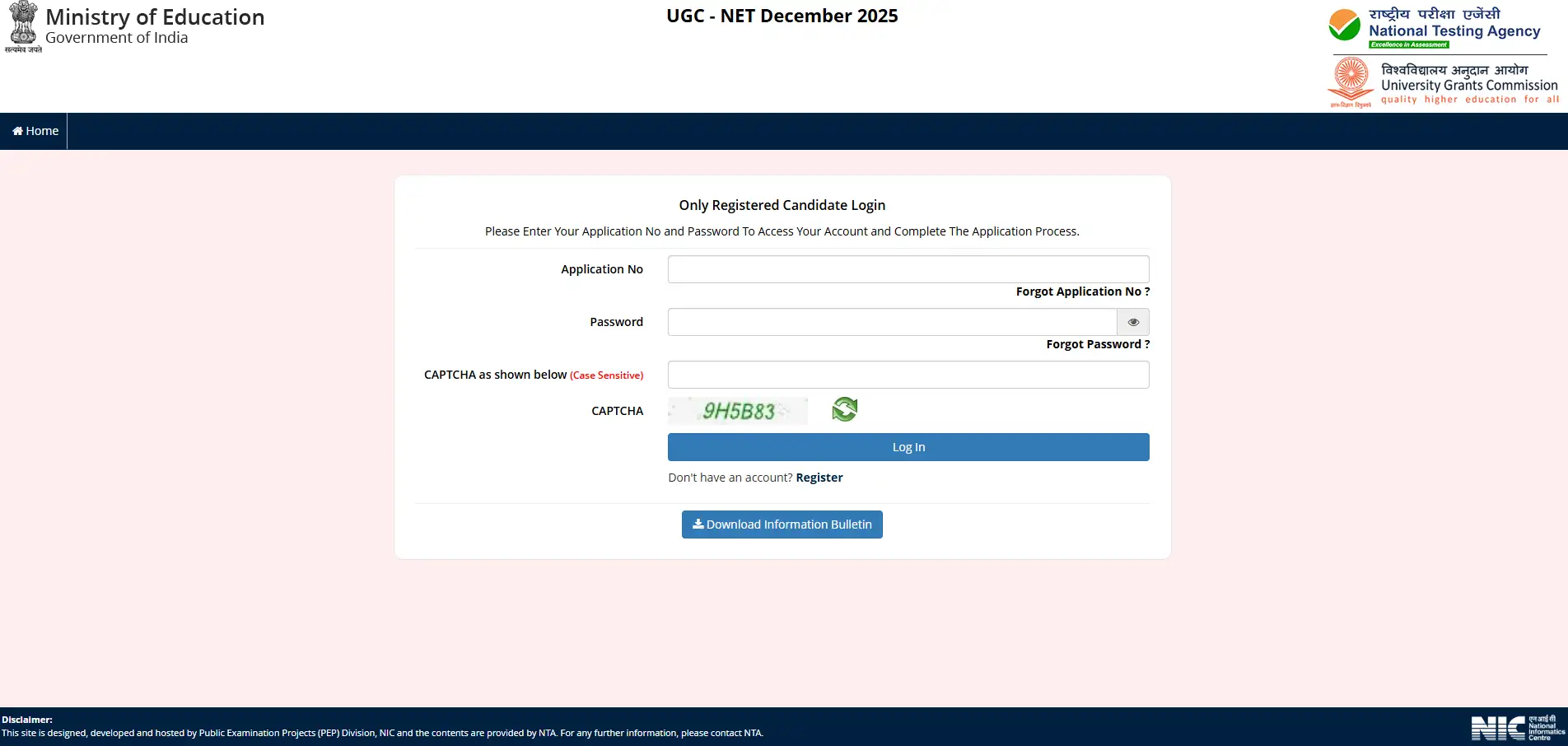
https://ugcnet.nta.nic.in/
To ensure your challenge is officially registered, you must successfully complete the payment process, as incomplete transactions will not be processed. Additionally, please ensure that all your supporting evidence and documents are merged into one single PDF file before uploading.
Read More: UGC NET Result 2025: Date, How to Download, Mentioned Details, Qualifying Marks for December Session

Related News





Confused About Your Career?
Talk to an expert at Studyriserr






.png)





.jpg)

.webp)
.webp)

