
University for Development Studies (UDS) is a public university in Ghana, West Africa. It was established in 1992 with the sole motive of helping develop rural areas of the country. The university focuses on providing practical education that supports the local communities, especially in underdeveloped regions. Students who are enrolled at the university can check the UDS Student Portal for details of their academics.
What is the UDS Student Portal?
The UDS Student Portal is an online platform where students of the University for Development Studies (UDS) can access important information and services. Students can log in to their accounts to check their academic results, register for courses, view class schedules, and access other essential educational resources.
How to Log into the UDS Student Portal?
To sign into their UDS Student Portal, students can check the steps below:
- Firstly, visit the official website at uds.edu.gh/system/user/login
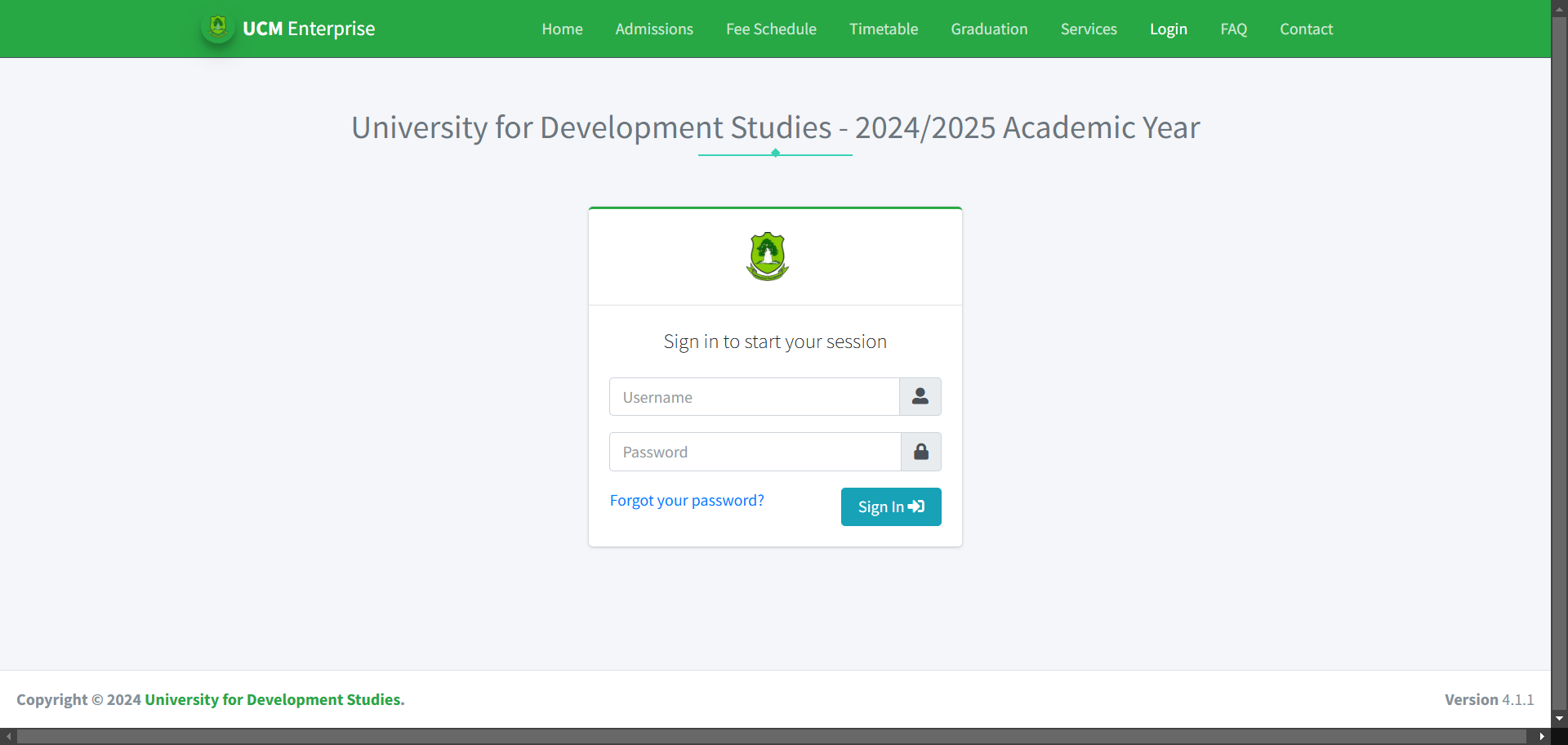
- Then, enter your ‘Username’ and ‘Password’
- Finally, click on ‘Sign In’ to log into your account.
How to Reset Your Account Login Password?
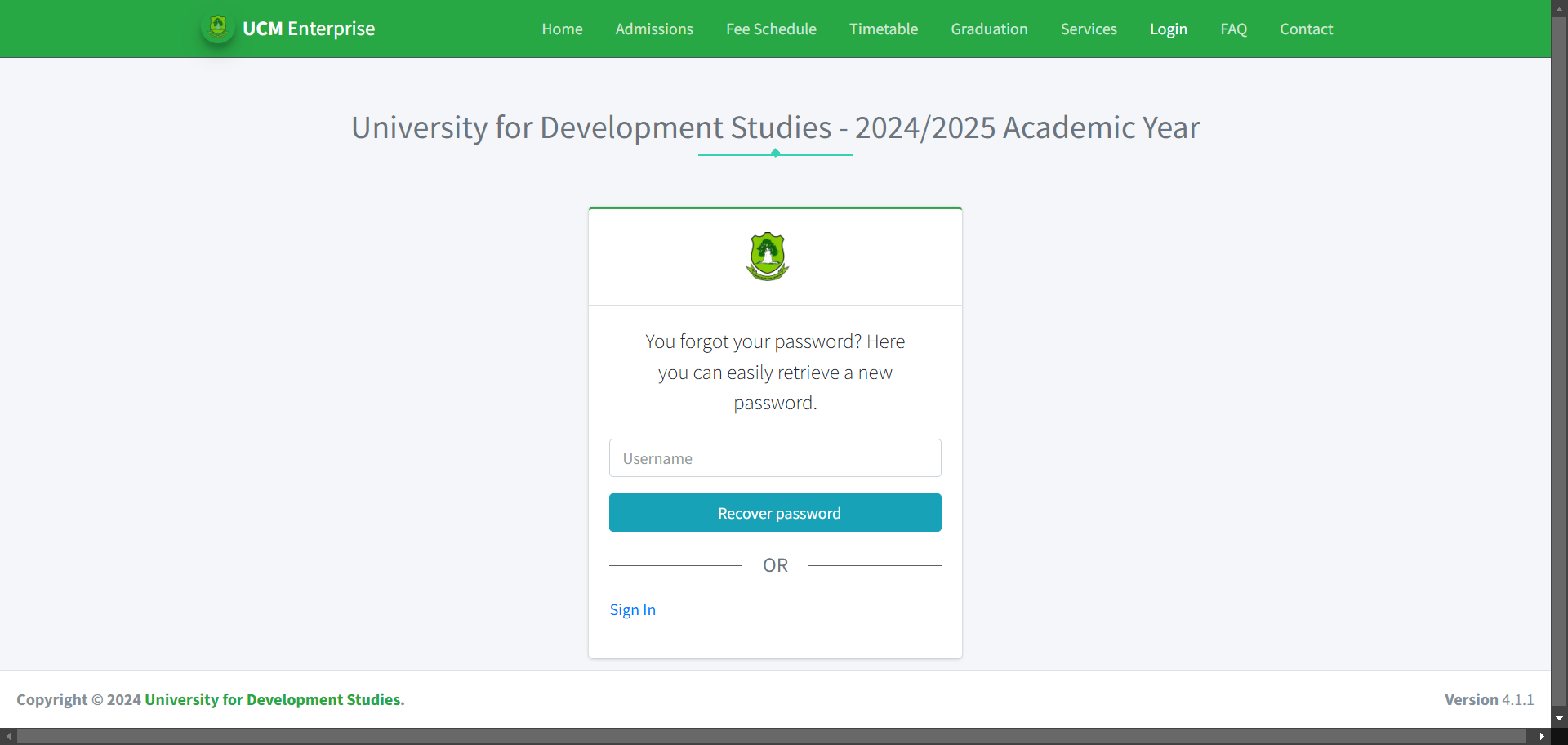
Students who have forgotten their password can reset it at the official website. The steps to reset the password are:
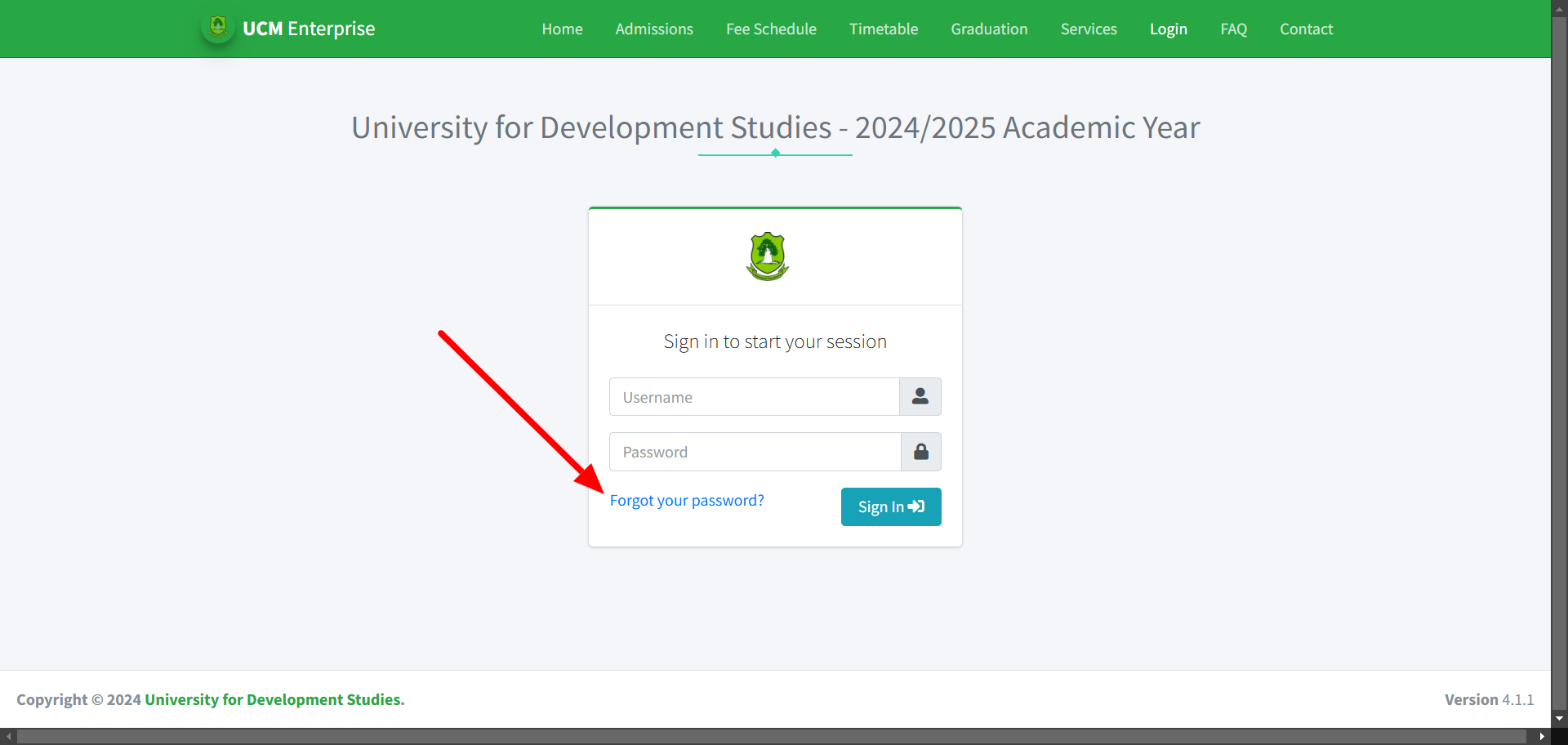
- Visit the login webpage at uds.edu.gh/system/user/login
- Click on the ‘Forgot password’ link below it, as shown in the image.
- Now enter your username and click on ‘Recover Password’.
What are the features of the UDS Student Portal?
The features of the UDS Student Portal are:
- Students can sign up for their classes online without visiting the campus.
- Students can pay their tuition and other fees securely.
- Provides information on important dates, such as exam periods, holidays, and registration deadlines.
- Receive important updates from the university, like event notifications or schedule changes, posted on the portal.
- Teachers can upload notes, assignments, and other learning resources for students to download and study.
- Students can update their personal information, such as contact details, and keep track of their academic history.
UDS Student Portal Help Desk
Students who require any assistance with their courses or the student portal can feel free to connect with the help desk.
Phone– +233-37-209-3697
Also Read: How to Access Your Defence Bank Credit Card Login Account: Step-by-Step Guide
FAQs
Ques. What is UCM Enterprise?
Ans. The UCM Enterprise platform is a cloud-based educational solution designed for efficiently managing higher education institutions and students. It is user-friendly, and students require no special ICT skills to use the system.
Ques. Can students check results from the portal?
Ans. Yes, students can view their examination results in the system. To check results, students have to log in and go to Examination under the Academics menu to access detailed academic information.
Ques. Can I book accommodation through the UCM portal?
Ans. The UCM Enterprise system allows students to book university accommodation. For the same, visit ‘Accommodation’, browse rooms, and pay at any authorized bank listed for confirmation.

Aparajita Debnath is a BCA graduate from Techno India University who currently works at Study Riserr as a content coordinator, operations manager, and research contributor. She plays a key role in ensuring the platform delivers accurate, up-to-date, and student-friendly educational resources across exams, admissions, and academic planning.
With a strong eye for detail and a passion for organized execution, Aparajita helps drive the backend workflow of Study Riserr. Outside her professional responsibilities, she is a dedicated painter who finds balance and self-expression through art. Her unique blend of technical expertise and creative energy makes her a vital part of the platform’s mission to empower students across India.